

WordPress maintenance is all about the essential, ongoing work needed to keep a client's website secure, up-to-date, and running like a well-oiled machine. For any business with a digital presence, this isn't a luxury; it's a necessity. It’s the proactive care—things like regular backups, security scans, software updates, and performance checks—that acts as a safety net against downtime, hackers, and those dreaded, costly technical meltdowns. As a leading wordpress agency australia, we've seen firsthand how crucial this foundation is.
Defining Your WordPress Maintenance Foundation
Just "offering maintenance" is far too vague. To build a profitable and scalable service, you need to be specific. A well-defined offering shifts you from being a reactive firefighter to a proactive partner, creating a reliable stream of recurring revenue in the process. The goal here is to build a foundation that solves real problems for your clients, sets crystal-clear expectations, and leans heavily on automation to make it all manageable. Whether you're a wordpress freelancer australia or a full-scale agency, this structure is key.
This foundation really comes down to three things: compelling service packages, an ironclad service level agreement (SLA), and the right set of tools. Nail these from the get-go, and you'll save yourself countless headaches from scope creep, client confusion, and administrative burnout down the track.
Structuring Your Service Packages
Think of your packages as your product. They need to be dead simple to understand and scream value. Instead of just listing a bunch of technical tasks, frame them around the outcomes your clients actually care about, like "peace of mind," "better performance," or "business growth." I've always found a tiered approach works best, as it lets you capture clients at different budget levels.
- The Essentials Plan: This is your foot in the door. It’s for the client who just wants the basics covered—security and uptime. Think of it as their website insurance policy. It absolutely must cover the non-negotiables: daily off-site backups, core WordPress updates, plugin and theme updates, and regular security scans. This is the core of any wordpress maintenance australia plan.
- The Growth Plan: This one is aimed at businesses that are more active online. It includes everything from the Essentials plan but adds in performance-focused features. You could bundle in database optimisation, uptime monitoring with instant alerts, and maybe 30 minutes of monthly support time for small content edits or a quick wordpress bug fix australia.
- The Performance Plan: Your top-tier offering is for e-commerce sites or any business-critical website where every second of downtime or slow-loading page costs them money. This package bundles everything from the lower tiers with advanced services like hands-on wordpress speed optimisation australia, extra security hardening, and priority support with much faster response times.
A huge mistake I see agencies make is undervaluing their basic plan. Even your "Essentials" package provides immense value by preventing catastrophic data loss and security breaches. Price it to reflect the professional oversight and peace of mind you're providing.
Crafting a Clear Service Level Agreement
Your Service Level Agreement (SLA) is your rulebook. It's the contract that spells out the scope, boundaries, and expectations of your service, and it's your absolute best defence against scope creep. A good SLA ensures everyone is on the same page. Without one, a simple request for "30 minutes of support" can mysteriously morph into a full-blown website redesign project, far beyond the scope of wordpress website support australia.
A solid SLA should explicitly detail:
- Response Times: How quickly will you actually get back to a support request? It's wise to define different times for standard issues versus genuine emergencies.
- Scope of "Support Time": Be brutally clear about what is and isn't covered. For instance, specify that it covers content updates or plugin configuration, but not custom wordpress development australia, graphic design, or SEO strategy.
- Update Process: Explain your process. When and how are updates done? For higher-tier plans, you should mention that updates are always tested on a staging server first to prevent breaking the live site.
- Communication Channels: Tell clients exactly how to ask for help. Is it via a dedicated support portal, a specific email address, or a carrier pigeon? Define it.
Choosing Your Automation Toolkit
Let me be blunt: you cannot scale a maintenance service by doing everything manually. Drowning in manual updates and backups across dozens of sites is a fast track to burnout and zero profit. The right tools will automate 90% of your repetitive tasks, freeing you up to manage a huge portfolio of sites with a surprisingly small team. As you grow, looking at a full suite of professional WordPress services can show you what’s possible when you have the right systems in place.
Your essential toolkit needs to include:
- A Central Management Dashboard: A tool like ManageWP, MainWP, or WPMU DEV is non-negotiable. It gives you one central place to perform updates, run security scans, and generate client reports across every site you manage.
- A Reliable Backup Solution: While your dashboard might handle backups, a dedicated, robust solution like UpdraftPlus Premium or BlogVault adds a critical layer of redundancy with off-site storage and simple one-click restores.
- A Premium Security Plugin: You should be installing a powerful security plugin like Wordfence or Sucuri on every single client site for firewall protection and malware scanning.
- Uptime Monitoring: A service like UptimeRobot is a lifesaver. It sends you an instant alert the moment a client's site goes down, letting you jump on the problem proactively—often before they even know anything is wrong.
Pricing Your Maintenance Packages for Profit
Undercharging is probably the quickest way to turn a potentially profitable WordPress maintenance service into a soul-crushing cost centre. Let’s be blunt: getting your pricing right isn't just about covering your software licences and time. It’s about clearly communicating the immense value you bring to the table. A well-priced plan prevents good clients from leaving, attracts the kind of businesses you actually want to work with, and positions your agency as a premium partner, not just a task-doer. As a wordpress web design company australia, your pricing reflects your quality.
You have to shift your mindset. You're pricing for value, not just the time it takes to click "update". Your clients aren't paying you for the ten minutes it takes to run through a checklist; they're investing in peace of mind. They're paying for the assurance that their digital storefront is secure, online, and running smoothly. They are paying for your expertise, your proactive monitoring, and the catastrophic financial losses you help them avoid.
Think of it like this: your pricing is built on three core pillars—your packages, your agreements, and your automation.
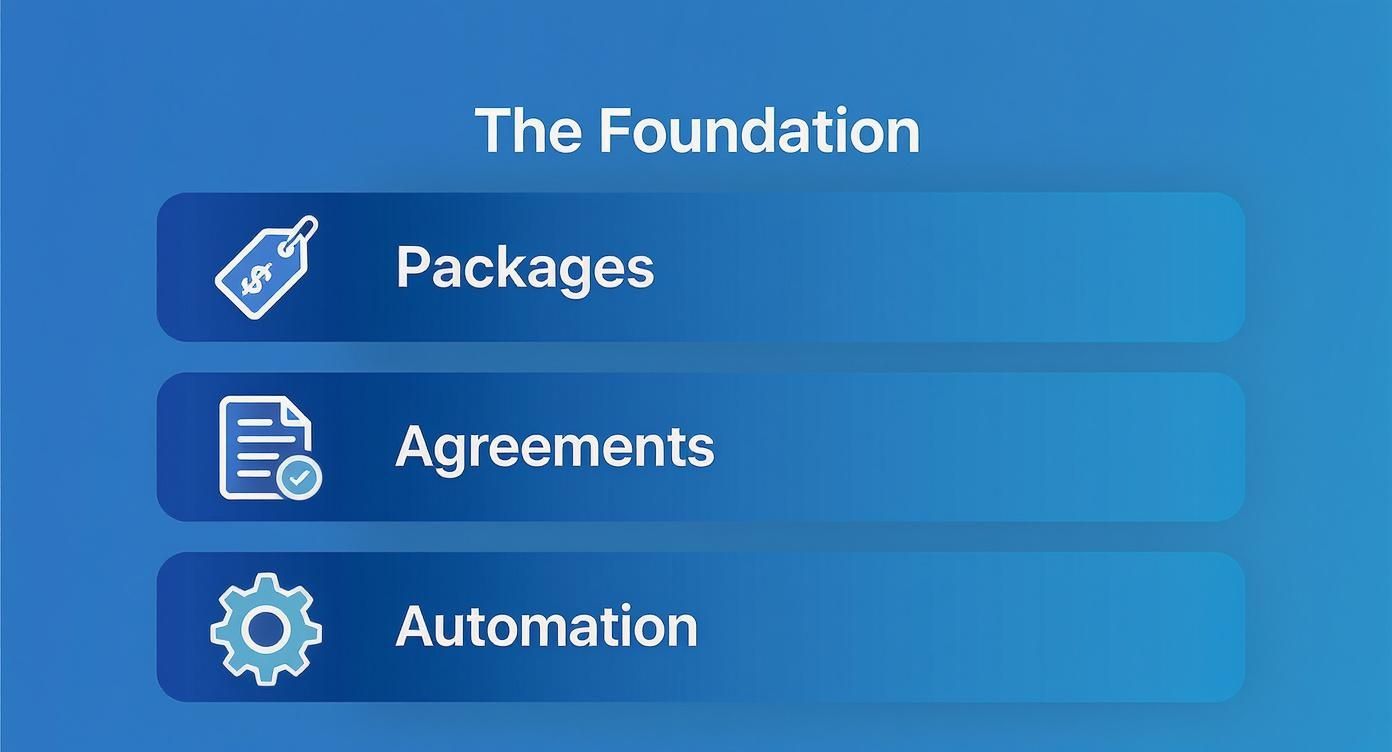
When these three elements work in harmony, you create a professional, scalable service that clients are genuinely happy to pay for because they understand the value you're delivering.
Getting a Feel for the Australian Market
Before you start crunching numbers, you need to understand the local lay of the land. Here in Australia, the WordPress maintenance market has a massive range of monthly costs, and it's all tied to a website's size, complexity, and how critical it is to the business. A simple blog, for example, might find a plan anywhere from AUD 100 to AUD 500 per month for the absolute essentials like updates and backups.
But for most small to medium business websites, you’re looking at an average between AUD 500 and AUD 1,000 monthly. These plans usually bundle in better security and specific e-commerce checks, especially for a woocommerce developer australia. When you get into more complex setups like busy WooCommerce stores or sites with custom platforms, the price tag often starts at AUD 1,200 and can easily go beyond AUD 3,000 per month. That number reflects the much higher stakes and the specialised expertise needed. It's also worth noting that one-off emergency fixes can run from AUD 550 to AUD 2,200, which really drives home the value of ongoing, proactive care. There's plenty of data out there on Australian WordPress maintenance costs that can help you benchmark your own strategy.
Calculating Your Real Costs
To build a profitable service, you absolutely must have a crystal-clear picture of your cost of goods sold (COGS) for every single plan. This goes way beyond just your time.
Get out a spreadsheet and list every single expense tied to delivering the service:
- Software Licences: What's the per-site cost for your management dashboard (like ManageWP), your premium backup solution, security plugins (like Wordfence Premium), and any performance tools? Break it down.
- Developer Time: Work out a realistic hourly rate for your team (or yourself!). How much time are you actually allocating each month, per client, for running updates, putting together reports, and handling any included support tasks? If you need to hire wordpress developer australia, factor in their cost.
- Overhead: Don't forget to factor in a slice of your general business expenses. This includes things like your project management software, accounting fees, and insurance.
Once you have a total monthly cost per client, you can apply your desired profit margin. For a service-based business like a WordPress agency in Australia, a healthy margin is typically between 50% and 70%. If you go much lower than that, you're just hamstringing your own growth.
A classic mistake is forgetting to factor in all the "unbillable" time. This is the time spent on client emails, generating those monthly reports, and even sales conversations. To protect your margins, make sure you account for at least one to two hours of this admin overhead per client each month in your cost calculations.
Building a Tiered Pricing Model
A tiered model is, without a doubt, the most effective way to present your WordPress maintenance services. It naturally guides clients to the best-fit plan for their specific needs and budget, which makes the whole sales conversation a lot less awkward.
Here’s a look at how you can structure different tiers, providing clear upgrade paths and making the value proposition obvious at each level.
Sample WordPress Maintenance Package Tiers
| Feature | Basic Care Plan (AUD 150/month) | Business Growth Plan (AUD 550/month) | Performance Plus Plan (AUD 1,200+/month) |
|---|---|---|---|
| Core, Theme & Plugin Updates | ✔️ (Monthly) | ✔️ (Weekly) | ✔️ (Weekly, on Staging First) |
| Daily Off-site Backups | ✔️ | ✔️ | ✔️ |
| Security Monitoring | ✔️ (Basic Scans) | ✔️ (Advanced Firewall) | ✔️ (Proactive Hardening) |
| Uptime Monitoring | ✔️ (Email Alerts) | ✔️ (Instant SMS Alerts) | ✔️ (Instant SMS Alerts) |
| Monthly Client Report | ✔️ | ✔️ (Branded & Detailed) | ✔️ (Branded with Analytics) |
| Included Support Time | ❌ | 30 Minutes/Month | 60 Minutes/Month |
| Performance Optimisation | ❌ | ✔️ (Database & Image Optimisation) | ✔️ (Advanced Caching & CDN) |
| WooCommerce Support | ❌ | ❌ | ✔️ (Priority Support) |
This kind of structure does more than just list prices. A client starting out on the Basic plan can immediately see the tangible benefits of moving up to the Business Growth plan once their website becomes more central to their operations. Your pricing page is no longer just a menu of costs; it's a strategic sales tool that educates clients and justifies your fees.
Creating a Flawless Client Onboarding System
The first few interactions you have with a new maintenance client will define the entire relationship. Get it wrong, and you’re starting on the back foot. A clunky, disorganised onboarding process creates friction and seeds doubt right from the get-go.
But a smooth, professional system? That builds immediate trust. It makes your client feel confident they made the right choice, and it's your first real chance to show them the value and peace of mind you sold them on.
This isn’t just about grabbing a few passwords. It's a structured process that heads off future risks, sets a clear performance baseline, and plugs the client's site directly into your management workflow. A solid system means you have everything you need to do your job well, from day one. This is also true for any kind of shopify maintenance australia service you might offer.
Gathering the Essential Information
Before you even think about touching a line of code, you need full access. Trust me, chasing clients for logins weeks after they've signed up is not a good look. It's inefficient and looks completely unprofessional. Get ahead of it by using a secure online form or a client portal to gather all the necessary details at the very beginning.
Here’s what you absolutely need to ask for:
- WordPress Admin Access: An administrator-level username and password.
- Hosting Provider Login: Credentials for their hosting account (think cPanel, SiteGround, WP Engine, etc.).
- Domain Registrar Login: Access to wherever their domain name is actually managed.
- CDN Credentials: If they’re using a Content Delivery Network like Cloudflare, you'll need in.
- Premium Plugin & Theme Licences: Get all the licence keys for their paid-for products. This is crucial for them to receive legitimate updates.
Now, a quick but critical word on security: storing this info is a huge responsibility. Use a proper password management tool like 1Password or LastPass that allows for secure team sharing. Never, ever store credentials in a spreadsheet or a plain text document.
Conducting the Initial Site Audit
Once you have the keys, your very next step is a deep-dive site audit. This isn't optional. This diagnostic phase is vital for two reasons: first, it uncovers pre-existing issues you aren't responsible for, and second, it gives you a clear performance baseline so you can actually prove the improvements you make over time.
Your audit should be a thorough documentation of the website's current state. Pay close attention to:
- Performance Metrics: Run speed tests using tools like GTmetrix or PageSpeed Insights. You need to record the initial load time, page size, and those all-important performance scores.
- Plugin and Theme Health: Hunt for any outdated, abandoned, or—even worse—nulled (illegally downloaded) plugins. These are massive security risks just waiting to happen.
- Security Posture: Run an initial malware scan to make sure you’re starting with a clean slate. Also, check for weak user passwords and other common weak spots.
- Backup Status: See if they have any existing backup systems. Are they even working?
Document everything. A pre-onboarding audit report is your get-out-of-jail-free card if an old, dormant issue blows up later. It clearly defines the starting line, making the value of your ongoing wordpress maintenance services undeniable when you show them the "before and after".
System Integration and Kick-off
With the audit done, it's time to bring their site into your world and officially kick things off. This is where your chosen automation tools really shine. You'll need to connect their site to your central management dashboard, whether that's ManageWP or MainWP.
This integration lets you schedule the first full, off-site backup under your control. Done. Next, configure your standard security and performance plugins according to your agency’s best practices. And finally, get uptime monitoring switched on so you get an instant alert if the site ever goes down.
The last piece of the puzzle is communication. Send a "Welcome Aboard" email confirming that the onboarding is complete. This email should briefly summarise the initial health check, confirm that backups and monitoring are now active, and remind them how to get in touch for support. That one email does so much to reassure the client that their website is now in safe, professional hands.
Scaling with White Label WordPress Services
So, you've done the hard work. You’ve built a solid foundation for your maintenance services and have a happy, growing list of clients. The next logical step is to scale, but this is where many agencies hit a classic bottleneck. Do you take on the significant risk, cost, and administrative headache of hiring more in-house developers?
Thankfully, there's a much smarter, more agile way to grow.
This is where a white label wordpress agency comes into the picture. Partnering with a specialist provider lets you expand your service capacity almost overnight, all without adding a single new employee to your payroll. It’s a strategic move that allows you to offer expert-level support under your own brand, keeping the client relationship entirely in your hands. This strategy is also popular for white label shopify services.
The True Value of a White Label Partnership
At its core, white-labelling is about leverage. You get immediate access to a team of seasoned WordPress experts who can handle everything from routine updates and bug fixes to complex custom WordPress development in Australia. This instantly broadens the scope of services you can confidently sell to your clients. A partnership with a white label wordpress designer can elevate your design offerings, too.
The biggest benefit? It frees up your internal team to focus on what they do best—whether that’s design, strategy, or closing new deals. Instead of getting bogged down in technical troubleshooting or frustrating plugin conflicts, your team can concentrate on nurturing client relationships and growing the business. This is the essence of wordpress outsourcing australia. The result is a more efficient, focused, and ultimately more profitable agency.
We dive deeper into this model in our comprehensive guide to white label WordPress solutions.
Vetting the Right White Label WordPress Support Partner
Choosing a partner is a huge decision that directly impacts your brand's reputation, so it’s crucial to get it right. Not all white-label providers are created equal. You're not just looking for a subcontractor; you need a partner who acts as a true extension of your team, delivering the same quality and care your clients expect from you. When you outsource wordpress development australia, you're entrusting your client's site to someone else.
When you're vetting potential partners in Australia, you need to dig deeper than their sales pitch. Ask the hard questions that reveal how they really operate:
- Communication: How will we communicate? Will I have a dedicated account manager who knows my clients and my business? What are their guaranteed response times?
- Workflow: Can you walk me through your process for handling a support ticket? What project management tools do you use, and will I have visibility?
- Expertise: Show me some examples of complex problems you've solved. Do you have specific experience with WooCommerce, LearnDash, or other complex plugins my clients rely on?
The most important factor, by far, is trust. A great white-label partner is transparent, reliable, and communicates proactively. They should make you feel like they have your back, not like you're just another ticket in their system.
Here in the Australian market, this approach has become quite sophisticated. Many providers bundle a comprehensive set of services into their offerings. For instance, it’s common for local agencies to include regular plugin and core updates, performance optimisation, and security scans in plans starting from around AUD 1,980 per month, especially when they include hours for custom development. This makes finding reliable wordpress developers for agencies australia a game-changer.
These robust plans are often designed for businesses needing campaign-ready websites without long-term commitments, covering everything from spam filtering to emergency support. This model, focused on expert local support with no offshore handovers, is a key reason for high client satisfaction and shows the maturity of WordPress maintenance services in Australia. You can explore the details of Australian WordPress maintenance plans to see how they're structured.
Red Flags to Watch For
Just as important as knowing what to look for is knowing what to avoid. Be wary of any provider who is vague about their processes, offers pricing that seems too good to be true, or is slow to respond during the initial vetting phase. These are almost always early warning signs of a disorganised or overwhelmed team.
Ultimately, a strong white-label partnership is built on clear communication, shared standards, and mutual trust. Finding the right white label wordpress support partner isn't just about outsourcing tasks; it's about building a strategic alliance that will fuel your agency's growth and profitability for years to come.
How to Market and Sell Your Maintenance Plans
You can build the most technically brilliant WordPress maintenance service in the world, but if you can’t sell it, you’ve just got a great idea that isn’t making you any money. The real art of selling maintenance is getting the client to see it for what it truly is: a critical investment in their business, not just another line item on their monthly expenses.
Your entire sales pitch needs to reframe the conversation from reactive repairs to proactive protection. Think of it like this: a client wouldn't dream of running their physical shop without insurance against fire or theft. So why on earth would they leave their digital storefront completely exposed? That’s the core message you need to drive home, every single time. A solid pitch will set you apart as a top wordpress expert australia.
Frame It as an Investment, Not a Cost
The words you choose will make or break the sale. Stop talking about "plugin updates" and "database optimisation." Honestly, clients don't care about the technical details. They care about business outcomes. Your marketing copy, proposals, and conversations should speak directly to their biggest fears and aspirations.
Try framing your services around these compelling angles:
- Security: "Think of our maintenance plan as a 24/7 security guard for your website. We actively defend it from hackers and malware that could leak customer data and completely tarnish your reputation."
- Performance: "A slow website literally costs you money. We keep your site lightning-fast, which keeps visitors happy, engaged, and boosts your rankings on Google."
- Peace of Mind: "You should be focused on running your business, not stressing about your website. We handle all the technical heavy lifting behind the scenes so you don't have to."
Your best sales tool is a good story. Share a brief, anonymised horror story about a business that didn't have a maintenance plan. Talk about the frantic late-night phone call, the sales lost during downtime, and the eye-watering cost of an emergency clean-up. Then, show them how your service is the hero that prevents that exact nightmare.
Bundle Maintenance with Every New Project
Here’s one of the most effective strategies I’ve seen: stop selling maintenance as an optional add-on. From now on, it’s a standard, non-negotiable part of every new wordpress website design australia project you quote. Include 3-6 months of your mid-tier maintenance plan right in the initial project cost.
This approach works wonders for a few reasons. First, it ensures the beautiful websites you build stay secure and running smoothly, which directly protects your agency's reputation. Second, it lets the client experience the benefits firsthand, making the switch to a paid monthly plan a seamless continuation of service, not a jarring upsell later.
The Australian market for WordPress maintenance services is really hitting its stride, with agencies using more sophisticated tools and pricing models. We’re seeing monthly plans that range from around USD 39 for the basics up to USD 1,099+ for premium packages with dedicated developer time or advanced WooCommerce support. With WordPress powering roughly 43.5% of the web, proactive security is no longer a luxury—it’s an expectation.
Use Data to Upsell Existing Clients
Got clients who aren't on a plan yet? Your monthly reports are your secret weapon. But a report that just says "15 plugins updated" is boring and useless. A valuable report shows the client all the bullets you dodged for them.
You need to transform your reports from a simple log into a powerful sales document. Start highlighting metrics that matter:
- Security Threats Blocked: "This month, our firewall blocked 1,254 malicious login attempts from reaching your site."
- Uptime Percentage: "Your website maintained 99.98% uptime, ensuring it was always online for your customers."
- Performance Gains: "We shaved 1.2 seconds off your homepage load time, which can directly improve your conversion rates."
When a client sees tangible proof that you're actively protecting their investment, the monthly fee suddenly feels like a bargain. This data-driven approach makes the renewal conversation a no-brainer and constantly reinforces the value you deliver. If you're looking for more ways to grow your agency, the articles over on the White Label WordPress blog are a great place to start.
Got Questions About WordPress Maintenance? We've Got Answers
Diving into WordPress maintenance services can feel like you're charting new territory. It's totally normal to have a heap of questions about pricing, the right tools for the job, and what you should actually include in your plans. Getting these things sorted from the get-go is the key to building a service that's not just profitable, but also a breeze to manage.
Let's tackle some of the most common questions we hear from agency owners just like you. The goal here is to give you straight-up answers so you can dodge the usual mistakes and set up your maintenance plans for success.
How Much Should I Charge for WordPress Maintenance in Australia?
There's no magic number here. Your pricing really hinges on how complex a site is and the real-world value you’re providing. For a basic brochure site or a simple blog, you’re typically looking at a range of $100 to $500 per month in the Australian market. This usually gets them the essentials: backups, updates, and security scans.
When you're dealing with e-commerce stores on WooCommerce or other business-critical sites, the price naturally goes up. Think somewhere between $500 and $1,200 a month. That higher price is justified by things like performance tuning, priority support, and a faster response time. For highly customised or complex sites requiring woocommerce development australia, it’s not uncommon to see prices climb well above $1,200. Remember, you're not just selling hours; you're selling peace of mind.
What Are the Must-Have Tools for Managing Client Sites?
Trying to manage multiple sites without a central dashboard is a recipe for disaster. You absolutely need a tool like ManageWP, MainWP, or the WPMU DEV Hub to handle updates, backups, and security from one place. These platforms are the foundation of any scalable maintenance service.
But your toolkit shouldn't stop there. To do this properly, you'll also need:
- An independent, off-site backup solution. Think UpdraftPlus or BlogVault for that extra layer of redundancy.
- A premium security plugin. A good firewall and malware scanner from something like Wordfence or Sucuri is non-negotiable.
- An uptime monitor. A service like UptimeRobot will ping you the second a client's site goes down, so you can be the hero who fixes it before they even notice.
Should I Include Development Time in My Plans?
This can be a brilliant move, but you have to be careful. Offering a small block of time—say, 30 to 60 minutes—for "small tasks" in your higher-tier plans is a fantastic way to keep clients on retainer. It stops them from wandering off to find someone else for those tiny tweaks.
The catch? Your Service Level Agreement (SLA) has to be rock-solid about what a "small task" actually is. Define it clearly to avoid scope creep. For instance, maybe content updates and minor CSS changes are fair game, but building new page templates or adding custom features is definitely not. Anything that falls outside that scope needs to be quoted as a separate project. This protects your time and keeps everyone on the same page. If you need a dedicated wordpress developer australia, you can always bring them in for larger projects.
A valuable client report is one that proves your worth beyond doubt. It should be automated, professionally branded, and easy for a non-technical person to understand. Instead of just listing tasks, focus on tangible results: security threats blocked, uptime percentage, and performance improvements. Highlighting the problems you prevented is far more powerful and builds the trust needed to justify your fee month after month.
Ready to scale your agency without the overhead? White Label WordPress provides expert, behind-the-scenes WordPress and Shopify development that you can resell under your own brand. Let us handle the technical work so you can focus on growth. Learn more about our white-label services.